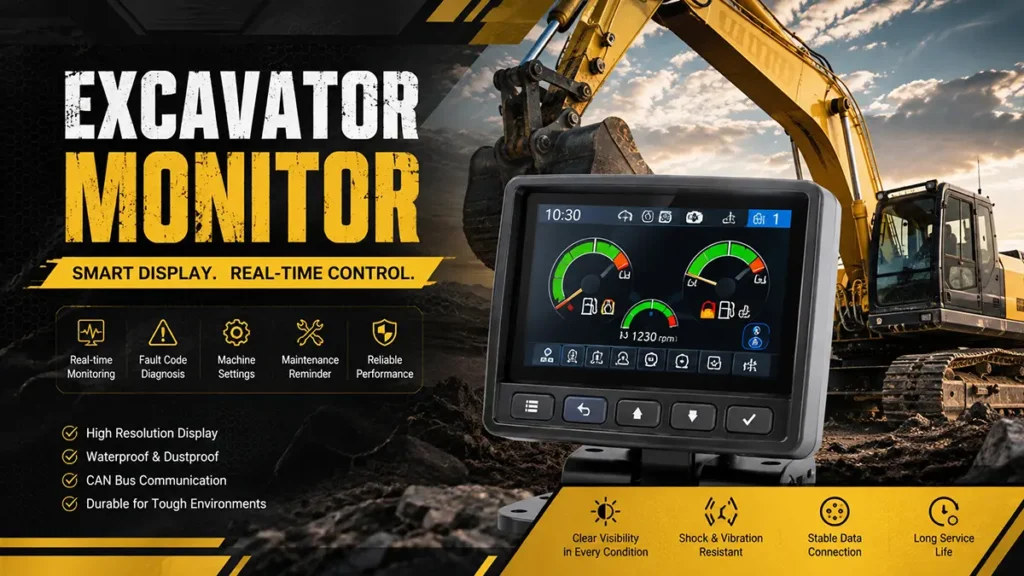
The excavator’s monitor is the “digital heart” of modern construction equipment, providing real-time access to critical data such as engine performance, hydraulic system pressure, fuel levels, and error codes. When it fails to work—whether it’s a blank screen, flickering display, or no data output—it can lead to costly downtime, incorrect diagnostics, and even safety risks on the job site. Below, we break down the 6 most common causes of excavator monitor failures, plus guidance on whether to repair or replace the unit, and answers to frequently asked questions.
6 Common Causes of Excavator Monitor Failures
Before calling a professional technician, you can perform basic troubleshooting by checking these common issues. Start with the simplest fixes first to save time and money.
1. Check the Electrical Supply First
The most frequent cause of excavator monitor failure is a faulty electrical supply—this should always be your first stop. The monitor relies on a stable power source to function, and even minor electrical glitches can shut it down completely.
Common electrical supply issues include:
- Dead or low battery: A weak excavator battery (voltage below 12.6V when idle) can’t provide enough power to the monitor, leading to a blank screen or intermittent operation. Check the battery’s charge level using a multimeter, and look for signs of corrosion on the battery terminals—corrosion or loose connections can cause voltage drops that destabilize the monitor.
- Blown fuses: Fuses protect the monitor’s electrical circuit from power surges. A burnt fuse in the control panel or ECU system can cut power to the monitor entirely. Locate the fuse box (usually near the driver’s seat or battery compartment), check the fuse labeled for the monitor or ECU, and replace it with a fuse of the same amperage if it’s blown.
- Power switch issues: A faulty ignition switch or monitor power button may fail to send power to the display. Test the switch by turning it on and off, and check for loose wiring connected to the switch.
2. Environmental or Weather-Related Damage
Excavators operate in harsh, unpredictable environments—extreme temperatures, moisture, dust, and debris can all damage the monitor over time. These elements often cause gradual wear and tear, leading to intermittent or complete failure.
Key environmental culprits:
- Extreme temperatures: High heat (common on construction sites in summer) can overheat the monitor’s internal components, causing them to melt or short-circuit. Freezing temperatures, on the other hand, can crack the screen or damage the internal wiring.
- Moisture and water damage: Rain, snow, or even high humidity can seep into the monitor’s housing, oxidizing circuit boards and causing irreversible damage. Look for signs of water intrusion, such as fog inside the screen or a burnt smell (indicative of short-circuiting).
- Dust and debris: Construction sites are dusty, and fine particles can accumulate in the monitor’s ports and connectors, blocking signals and causing connection issues.
3. Inspect Wiring and Connections
The monitor is connected to the excavator’s electrical system and ECU via a wiring harness. Over time, vibrations from the excavator’s operation, exposure to the elements, or even rodent damage can wear down the wiring or loosen connections—interrupting power or signal flow to the monitor.
What to look for during inspection:
- Damaged wiring: Check for frayed, cut, or exposed wires along the harness. Vibrations can cause wires to rub against metal parts of the excavator, leading to insulation damage and short circuits.
- Loose or corroded connectors: The monitor’s connectors (both at the back of the display and on the wiring harness) can become loose from vibrations or corroded from moisture. Look for bent pins, rust, or greenish corrosion on the connectors—these are signs of poor contact.
- Rodent damage: Rodents often chew through wiring harnesses, especially if the excavator is stored outdoors or in a damp area. Look for bite marks or missing sections of wire.
4. Confirm Signal from ECU (Engine Control Unit)
The excavator’s ECU (Engine Control Unit) is the “brain” of the machine, sending real-time data (such as engine speed, fuel level, and error codes) to the monitor. If the ECU fails to send a signal, the monitor will either display incorrect information or shut down entirely.
Common ECU-related issues:
- ECU failure: A faulty ECU may not generate or send signals to the monitor. Signs of ECU failure include the monitor displaying no data, even when the excavator is running, or frequent error codes that don’t clear.
- CAN communication errors: The monitor and ECU communicate via a CAN (Controller Area Network) circuit. Disconnections, ground faults, or short circuits in this circuit can interrupt signal transmission, leading to monitor failure. Check for loose or damaged CAN bus wiring and ensure the terminal resistance is within normal limits (max 1 ohm for most excavators).
- ECU programming issues: If the ECU’s software is outdated or corrupted, it may not communicate properly with the monitor. This can happen after a battery replacement or electrical system repair.
How to check: Use a diagnostic tool to read the ECU’s data and confirm if it’s sending signals to the monitor. If the ECU is faulty, it may need to be repaired or replaced by a certified technician.
5. Software or Firmware Issues
Modern excavator monitors run on software or firmware that controls their functionality. Outdated, corrupted, or incompatible software can cause the monitor to freeze, crash, or display incorrect information.
Common software/firmware problems:
- Outdated firmware: Manufacturers often release firmware updates to fix bugs and improve compatibility with the excavator’s systems. If your monitor’s firmware is outdated, it may not communicate properly with the ECU or other components.
- Corrupted software: Power surges, battery failures, or incomplete updates can corrupt the monitor’s software, leading to crashes or a blank screen. In some cases, the monitor may boot up but fail to load any data.
- Incompatible updates: Installing firmware or software that’s not designed for your excavator’s make and model can cause the monitor to malfunction.
6. Monitor Screen or Display Malfunctions
Sometimes the issue is with the monitor itself, rather than external components. Physical damage or internal component failure can render the screen unusable.
Common display issues:
- Physical damage: Cracks, scratches, or impacts to the screen can cause it to go blank or display distorted images. This is often caused by falling debris on the job site or accidental impacts.
- Backlight failure: If the monitor is powered on (you can hear it beep or see indicator lights) but the screen is dark, the backlight may have burned out. This is a common issue with older monitors.
- Internal component failure: The monitor’s internal circuit board, LCD panel, or power supply can fail due to age, overheating, or electrical surges. Signs include flickering screens, pixel distortion, or a screen that turns on and off randomly.
Repair or Replace?
Once you’ve identified the cause of the monitor failure, the next step is to decide whether to repair or replace the unit. Here’s a simple guide to help you choose:
When to Repair
- The issue is minor (e.g., loose connections, blown fuse, or software glitch) and can be fixed at a low cost.
- The monitor is relatively new (less than 3 years old) and in good physical condition (no cracks or water damage).
- Repair costs are less than 30% of the cost of a new monitor. For example, repairing a faulty backlight or wiring harness is often cheaper than replacing the entire unit.
- The monitor is an OEM part for a rare or older excavator model, and replacement parts are hard to find.
- Professional repair services (like those offered by Circuit Board Medics) often provide warranties and fast turnaround times, making repair a cost-effective option for many issues.
When to Replace
- The monitor has severe physical damage (e.g., cracked screen, water-damaged circuit board) that can’t be repaired.
- The monitor is old (3+ years) and has a history of frequent failures—ongoing repairs will cost more than a new unit over time.
- Repair costs exceed 30% of the cost of a new monitor. New monitors (such as the ICP 6900-070 HI monitor for XE 215C/XE 265C excavators) typically range from $385 to $1,440, depending on the model.
- The monitor is obsolete, and replacement parts are no longer available from the manufacturer.
When replacing, opt for OEM or high-quality aftermarket monitors to ensure compatibility with your excavator’s ECU and electrical system. Many new monitors come with warranties (6 months to 6 years) and plug-and-play functionality, reducing installation time.
Conclusion
Excavator display malfunctions, but most problems are caused by common faults such as power failure, environmental damage, or loose connections. Following the troubleshooting steps outlined above will usually quickly identify and resolve the issue.
Remember, before tackling more complex problems (such as ECU or software issues), try the simplest solutions first (check the battery and fuses). If you are unsure about any steps, feel free to contact us; we will provide you with the best solution.
If you have any technical questions or would like to learn more about our products, please feel free to contact us.
FAQs
Q1: Can I fix an excavator monitor myself, or do I need a professional?
You can fix minor issues yourself, such as replacing a blown fuse, checking battery connections, or cleaning connectors. However, more complex issues (e.g., ECU signal problems, software updates, or internal component failure) require a professional technician with the right tools and expertise. Attempting to fix these issues yourself can cause further damage to the monitor or excavator electrical system.
Q2: Why does my excavator monitor flicker on and off?
Flickering is often caused by a unstable power supply (low battery, loose connections), damaged wiring, or environmental factors (moisture, extreme temperatures). Check the battery voltage, inspect the wiring harness for loose or damaged connections, and ensure the monitor is protected from moisture and dust.
Q3: My monitor is on, but it’s not displaying any data—what’s wrong?
This is likely an ECU signal issue. The ECU may not be sending data to the monitor due to a CAN communication error, faulty ECU, or outdated firmware. Use a diagnostic tool to check the ECU’s signal, and update the monitor’s firmware if needed. If the ECU is faulty, it may need to be repaired or replaced.